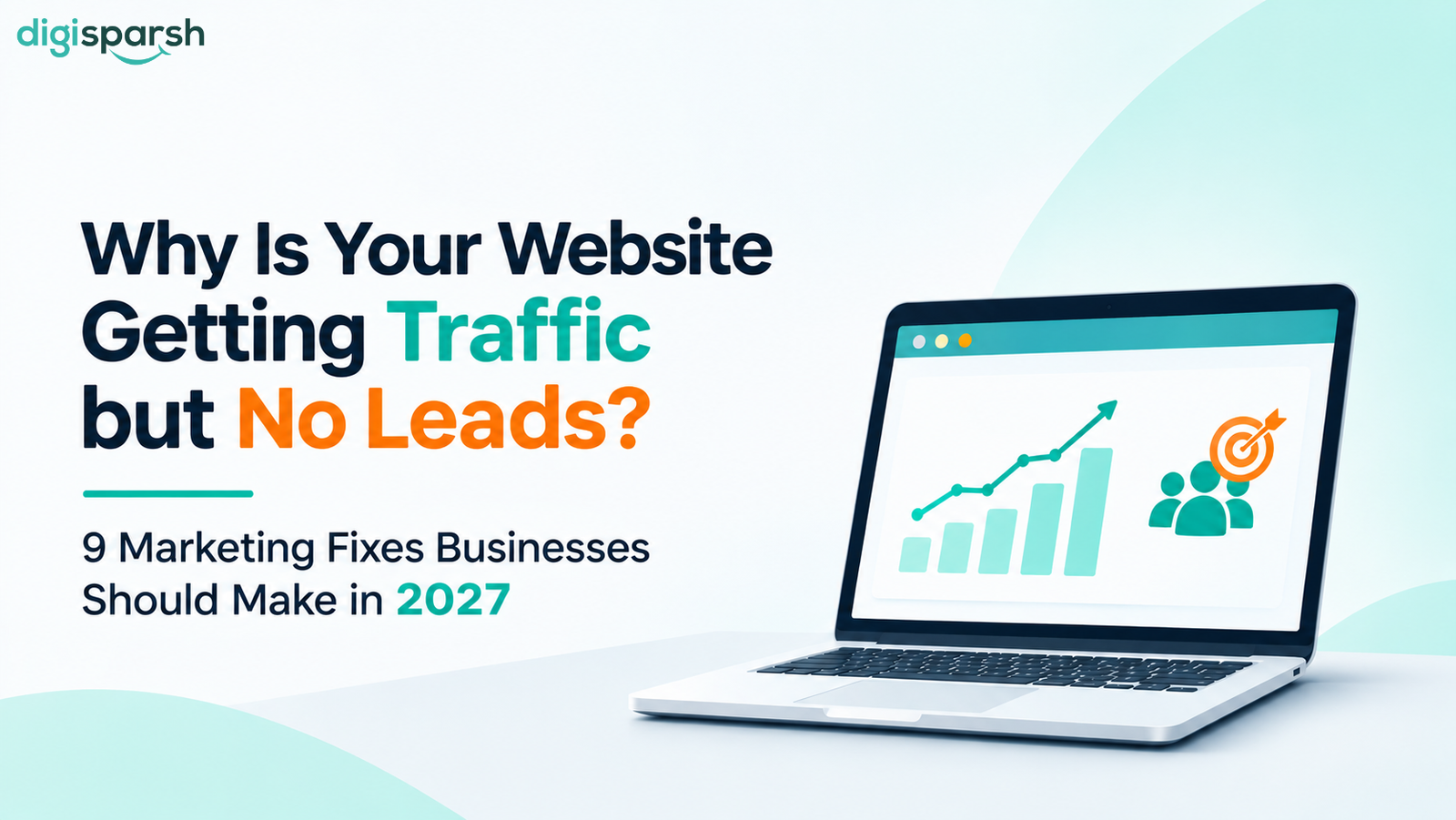
Your analytics look healthy. Sessions are up. Impressions are climbing. Your blog posts are ranking.
And yet the enquiry inbox is quiet.
If that sounds familiar, you are not alone. Traffic is a visibility metric. Leads are a trust metric. A website can attract thousands of visitors and still fail to convince even one of them to call, fill a form or request a quote.
In 2027, this gap is getting wider. Search is changing fast. Google’s own I/O 2026 announcement reported that AI Mode passed 1 billion monthly users and AI Overviews reach 2.5 billion people a month. SparkToro’s 2026 study found that zero-click searches now make up around 68% of U.S. Google searches. People are researching, comparing and shortlisting before they ever land on your site.
So the visitors who do arrive are further along. They are comparing you with two or three other businesses, and they are looking for reasons to say no.
This guide breaks down why your website gets traffic but no leads and gives you 9 marketing fixes to put right, in the order we would tackle them.
Quick Diagnosis: Which Problem Do You Have?
Before fixing anything, find out where the leak is. Use this table as a starting point.
| What you see in your data | Most likely problem | Start with fix |
| High traffic, very high bounce rate | Wrong audience or weak first impression | 1, 2 |
| Good time on page, no form fills | Weak CTAs or friction in forms | 3 |
| Mobile visitors leave, desktop converts | Speed or mobile usability | 4 |
| Visitors read but never enquire | Missing trust and proof | 5 |
| Blog traffic is high, service pages get none | Content is not connected to buying journey | 6 |
| Brand is mentioned but traffic is flat | AI and zero-click visibility gap | 7 |
| Leads come in but cannot be traced | Tracking and attribution gaps | 8 |
| Enquiries arrive but do not close | Slow or weak follow-up | 9 |
Why Traffic Alone Does Not Equal Leads
Here is a simple scenario.
- Website A gets 20,000 monthly visits from broad, informational searches such as “what is digital marketing”. Its service pages are thin, its contact form asks for eleven fields, and it loads slowly on mobile.
- Website B gets 3,000 monthly visits from specific, commercial searches such as “SEO agency for manufacturing company”. Its pages answer buying questions, show proof and make the next step obvious.
Website A wins on traffic. Website B wins on revenue.
This is the core idea behind everything below: you do not need more visitors, you need the right visitors and a clear path for them.
Fix 1: Match Your Pages to Search Intent
The most common reason for traffic without leads is a mismatch between what people searched for and what your page offers.
Search intent usually falls into four groups: informational, navigational, commercial investigation and transactional. If most of your traffic is informational and none of it is guided towards a service page, you will collect readers, not enquiries.
How to fix it:
- Export your top 50 landing pages from Google Search Console.
- Label each one by intent (learn, compare, buy).
- Check whether the page type fits the intent. A “how to” query should not land on a hard-sell page, and a “hire an agency” query should not land on a blog post.
- Add clear next steps from informational pages to relevant service pages.
- Build or improve pages for commercial and transactional queries first. These bring buyers.
Metrics to monitor: Conversion rate by landing page, share of traffic by intent, clicks on internal links from blog to service pages.
Digisparsh tip: Our SEO services start with an intent audit, because ranking for the wrong keywords is the most expensive kind of SEO success.
Fix 2: Rewrite Your Value Proposition Above the Fold
Visitors decide in seconds whether your site is for them. If your homepage opens with a vague line like “Welcome to our company” or “Innovative solutions for modern businesses”, people will leave and nobody will notice.
A strong value proposition answers three questions at a glance:
- What do you offer?
- Who is it for?
- Why should I choose you?
How to fix it:
- Write your headline as a benefit, not a slogan.
- Add one supporting line that names your audience and your outcome.
- Place one primary call to action (CTA) visible without scrolling.
- Use real visuals, not generic stock photos.
- Keep your messaging consistent across your website, social profiles, directories and ads.
This is as much a branding problem as a copywriting one. If you cannot explain in one sentence why someone should pick you, your visitors cannot either. A clear branding foundation makes every page easier to write and every ad easier to convert.
Metrics to monitor: Bounce rate on key pages, scroll depth, click-through on the primary CTA.
Fix 3: Fix Your CTAs and Lead Forms
Many websites do not have a traffic problem. They have a “what do I do next?” problem.
Common CTA and form mistakes:
- “Submit” buttons that say nothing about what happens next
- Contact forms with too many mandatory fields
- CTAs buried in the footer
- No alternative for people who prefer a call or WhatsApp
- Multiple competing CTAs on one page
How to fix it:
- Use action-led CTA text such as “Get a free website audit” or “Request a quote”.
- Cut your form to what you truly need: name, email or phone, and one line about the need.
- Place a CTA after every major section, not just at the end.
- Offer more than one contact route (form, phone, WhatsApp).
- Add a short reassurance line near the form, for example “We reply within one working day”.
- Test one change at a time and measure results.
For online stores, the same logic applies to the checkout. Every extra step, forced account creation and surprise charge costs you sales. A well-planned e-commerce website removes friction between product page and payment.
Good UI/UX design is what turns a page that looks good into a page that converts. Layout, spacing, button contrast and reading flow all influence whether someone takes the next step.
Metrics to monitor: Form start rate, form completion rate, CTA click-through rate, phone and WhatsApp clicks.
Fix 4: Improve Speed and Mobile Experience
A slow site quietly kills enquiries. Visitors on mobile networks do not wait, and search engines notice frustrated users too.
Google’s Core Web Vitals measure three things: Largest Contentful Paint (loading), Interaction to Next Paint (responsiveness) and Cumulative Layout Shift (visual stability).
How to fix it:
- Compress images and use modern formats such as WebP or AVIF.
- Remove unused JavaScript and limit third-party scripts.
- Lazy-load images and embeds below the fold.
- Reserve space for ads, banners and embeds to stop layout jumps.
- Check forms, buttons and menus on a real phone, not just a desktop preview.
- Make sure tap targets are large and text is readable without zooming.
Speed and mobile usability come from how a site is built, not just how it is designed. If your platform is dated or bloated, patching will only go so far. That is where professional website development pays for itself.
Metrics to monitor: Core Web Vitals in Search Console, mobile vs desktop conversion rate, page load time on key landing pages.
Fix 5: Build Trust With Proof, Not Promises
By 2027, most buyers arrive already sceptical. They have seen a lot of polished websites making big claims. What convinces them is evidence.
This is where Google’s E-E-A-T framework (experience, expertise, authoritativeness and trustworthiness) becomes a conversion tool, not just an SEO concept. A site that shows real people and real results is easier to trust, whether the visitor is a human or a search engine.
How to fix it:
- Add real customer testimonials with names, companies and, where possible, photos.
- Publish case studies that show the problem, what you did and the result.
- Show your team. Add an About page with real faces, credentials and your story.
- Add author bios with relevant experience on every blog post.
- Display certifications, partnerships, client logos and awards (only genuine ones).
- Be transparent about pricing approach, timelines and process.
- Add clear contact details, a physical address and a privacy policy.
A note on honesty: never fabricate reviews, credentials or numbers. It damages trust and can get your site penalised.
Learn more about who we are and how we work on our About page.
Metrics to monitor: Conversion rate on pages with proof vs pages without, branded search growth, review volume and rating.
Fix 6: Connect Your Content to the Buying Journey
Blogs are great for traffic. But a blog that ends without a next step is a dead end.
Think of your content as a map with three stages:
- Awareness: People are learning about a problem.
- Consideration: People are comparing solutions.
- Decision: People are ready to choose a provider.
Most businesses over-invest in awareness and under-invest in the other two. That is how you get plenty of readers and no leads.
How to fix it:
- Choose three to five core topics directly connected to your services.
- For each topic, create one pillar page and several supporting articles (a topic cluster).
- Link supporting articles to the pillar page and to the relevant service page.
- Add comparison pages, pricing explainers, “how we work” pages and FAQs for people at the consideration stage.
- Place a contextual CTA in each article, matched to the topic.
- Refresh high-traffic posts every few months. Any page still presenting 2024 or 2025 as “current” loses trust.
For example, if you run a business-to-business service company, a cluster around lead generation might include this very article, a post on landing page optimisation, a post on measuring marketing ROI and a service page for digital marketing that ties it all together.
Browse more guides on our blog to see how we build topic clusters for our own site.
Metrics to monitor: Clicks from blog posts to service pages, assisted conversions, non-branded keyword growth by topic cluster.
Fix 7: Optimise for AI Search and Zero-Click Behaviour
This is the fix most businesses miss, and the one that matters most in 2027.
When AI Overviews, AI Mode, ChatGPT and Perplexity answer a question directly, many people never click. The visitors who do click have often already seen your brand mentioned and trust you more. Adobe Digital Insights found that during the 2025 holiday season, AI-referred visitors to U.S. retail sites converted 31% better than other traffic. That is a retail, seasonal dataset, so treat it as a directional signal, but it points the same way: fewer clicks, higher-intent visitors.
Google’s own guidance says there are no special tricks or secret files required to appear in AI features. The fundamentals still apply: helpful content, clear structure, crawlable pages and trustworthy sources.
How to fix it:
- Answer questions clearly. Use question-style headings and give a direct 40 to 60 word answer, followed by depth.
- Use lists and tables where they make information easier to scan.
- Add structured data (Article, Organization, LocalBusiness, FAQPage, Product, BreadcrumbList) that matches what is visible on the page. Test with the Schema Markup Validator and Rich Results Test.
- Keep brand information consistent across your website, Google Business Profile, LinkedIn, directories and any public profiles. Conflicting details confuse both people and AI systems.
- Earn brand mentions. Ahrefs’ analysis of 75,000 brands found branded web mentions correlated far more strongly with AI Overview visibility than backlinks did (roughly 0.664 vs 0.218). That is correlation, not proof of cause, but it supports investing in digital PR, expert commentary and original research.
- Audit your AI presence monthly. Ask ChatGPT, Perplexity and Google AI Mode category and comparison questions about your industry. Note whether your brand appears and whether the description is accurate.
Metrics to monitor: Impressions in Search Console (including the new Search Generative AI performance reports for page-level AI visibility), AI-referred sessions in GA4, branded search growth, brand mentions.
Our SEO team builds this into every strategy so your brand shows up where your customers are asking questions.
Fix 8: Fix Your Tracking Before You Fix Anything Else
You cannot improve what you cannot measure. Many “no leads” problems turn out to be “leads we did not track” problems.
How to fix it:
- Set up GA4 conversion events for form submissions, calls, WhatsApp clicks, brochure downloads and booking requests.
- Connect Google Search Console to GA4.
- Use UTM parameters on every ad, email and social campaign.
- Create a GA4 filter or segment for AI-referred traffic (for example, chat.openai.com and perplexity.ai referrers).
- Track phone calls and WhatsApp taps from your website.
- Ask “How did you hear about us?” on forms and during sales calls. Self-reported answers often reveal dark traffic such as AI mentions and word of mouth.
- Review a simple dashboard monthly: traffic, conversion rate, cost per lead and leads by source.
Metrics to monitor: Tracked conversions vs actual enquiries received, lead source accuracy, cost per lead.
Fix 9: Follow Up Fast and Nurture the Leads You Already Have
Sometimes the leads exist, but the process loses them.
How to fix it:
- Reply to every enquiry quickly. Aim for the same working day.
- Send an automatic confirmation email or message so the visitor knows you received their request.
- Prepare a short follow-up sequence of two to three useful emails for people who are not ready to buy yet.
- Use remarketing ads to bring back visitors who viewed your service or pricing pages.
- Share case studies and FAQs that answer common objections.
- Keep a simple CRM or spreadsheet so no lead is forgotten.
A good digital marketing strategy does not end at the click. It covers everything from the first search to the signed contract.
Metrics to monitor: Response time, lead-to-meeting rate, lead-to-customer rate, remarketing conversions.
Your 30-Day Plan to Turn Traffic Into Leads
You do not need to do everything at once. Here is a practical month-long plan.
Week 1: Diagnose
- Set up or verify GA4 conversions and Search Console.
- Review your top 20 landing pages by traffic and conversion rate.
- Label each by search intent.
Week 2: Fix the basics
- Rewrite the headline and CTA on your top 5 pages.
- Shorten your contact form.
- Fix mobile and speed issues on key pages.
Week 3: Build trust
- Add testimonials, case studies and author bios.
- Update outdated statistics and dates.
- Add FAQ sections and structured data to key pages.
Week 4: Connect and measure
- Add internal links from blog posts to relevant service pages.
- Set up an enquiry follow-up process.
- Test AI search prompts and record how your brand appears.
- Compare results against your Week 1 baseline.
Results depend on your industry, competition, website history and how quickly search engines re-evaluate changes. Treat 30 days as a starting point for improvement, not a guarantee.
Frequently Asked Questions
Why is my website getting traffic but no leads?
The most common reasons are a mismatch between search intent and page content, an unclear value proposition, weak calls to action, slow mobile performance, missing trust signals and poor conversion tracking. Start by checking which pages get traffic but no enquiries.
What is a good website conversion rate for lead generation?
It varies widely by industry, traffic source and offer, so avoid chasing a universal number. Compare your own conversion rate month by month and by landing page, then improve the weakest pages first.
How long does it take to see more leads after making these fixes?
Some fixes, such as improving CTAs and forms, can show results within weeks. SEO, content and brand-building fixes usually take a few months. Timelines depend on competition, website history and consistency.
Does SEO help generate leads or only traffic?
SEO generates leads when it targets commercial and transactional keywords, pairs them with strong landing pages and tracks conversions. Traffic alone is not the goal.
Should I redesign my website if it is not generating leads?
Not always. Fix tracking, messaging, CTAs and speed first. If the platform is outdated, slow or hard to update, a rebuild may deliver better returns than patching.
Ready to Turn Your Traffic Into Real Enquiries?
If your website is getting visitors but not leads, the problem is rarely just one thing. It usually sits across search intent, design, content, trust and follow-up.
At Digisparsh, we help businesses in India, the UAE and beyond craft a clear brand, build high-performing websites and grow with measurable marketing.
Let’s find out where your leads are leaking and fix it together.